Novices and Experts
SYS 214 - Principles of HCI
agenda
Coming up on PHCI
- Fri: Three-application (novice) assignment
- Next Mon: DWMIM 10, 11, and 12
- Next Wed: DOET chapter 5
- Next Fri: Scenarios Due
Today
- Novices and Experts
- Exercise
user's level of expertise
Why is it important to think about a user's level of expertise as you are designing an application or device?
user's level of expertise
We want our designs to be USEABLE and USEFUL!
Design Principle: Nobody wants to remain a beginner.
- Everyone spends some time as a beginner
- People become intermediate or they drop out
user approaches to apps and devices
No choice
- I must use this system for my job
- Business Professionals (core business applications)
- Tellers
- SAP
user approaches to apps and devices
Some level of choice
- I have to use a device, but I can choose which one
- Diabetic (testing device)
- College student (word processor)
- I don't have to use a device or application
- Calendaring
- I choose to use this for fun
- Video games
Two views on experts and novices

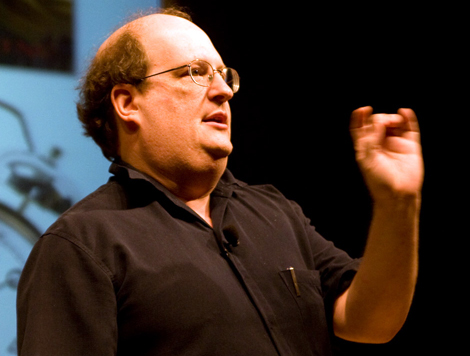
alan cooper
Alan Cooper:
- Father of VB
- Founder of Cooper, an interaction design company
Uses a model with
- Beginners
- Intermediates
- Experts
Where do you think most users fall in Cooper's model?
cooper's model
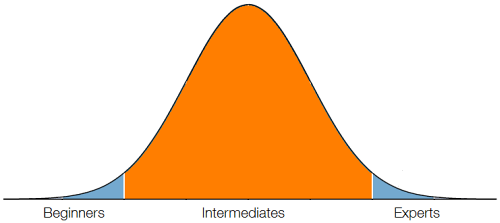
Most users in intermediates group.
cooper's model
Beginners
- What does this do?
- How do I print?
- Where do I start?
cooper's model
Intermediates
- I forgot how to ...
- How do I find control X?
- Oops! Undo.
- What is this for?
cooper's model
Experts
- How do I automate?
- What is the shortcut for X?
- How can I customize ...?
cooper's model
Design Principle: Optimize for Intermediates
- Get beginners to intermediaries rapidly and painlessly
- Avoid putting obstacles in the way of intermediaries who want to become experts
- Keep perpetual intermediaries happy!
supporting beginners
Design Principle: Imagine users as very intelligent, but very busy.
Hints:
- Users must grasp the concepts and scope of the product quickly.
- Align the user's mental model of his tasks and the interface
- If you provide helps and supports to get a user to intermediary status, make sure the user can get rid of it.
- Use terse text to provide explanation
supporting experts and intermediates
Expert Hints:
- Experts have a disproportionate influence on the product
- Experts want shortcuts
Intermediate Hints:
- Don't need scope and purpose
- Need access to tools
- May be motivated to dig deeper and learn as long as they don't have to learn a lot at one time
- Know that advanced features exist, but may not know how to use them
cooper's summary
You must provide for all three, but the bulk of your time is spent on supporting intermediates!
jared spool
Jared Spool:
- Speaker, researcher, writer
- Founder of User Interface Engineering
Unintuitive vs. Intuitive:
- Unintuitive
- "Hard until you figure it out. Then it is really easy."
- "Intuitive stuff keeps our focus in the right place."
Design Principle: Don't make users feel stupid.
jared spool
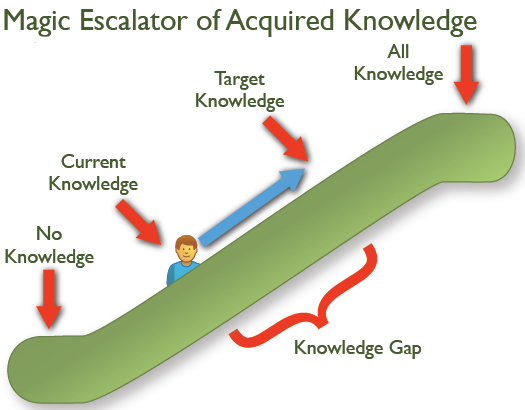
jared spool
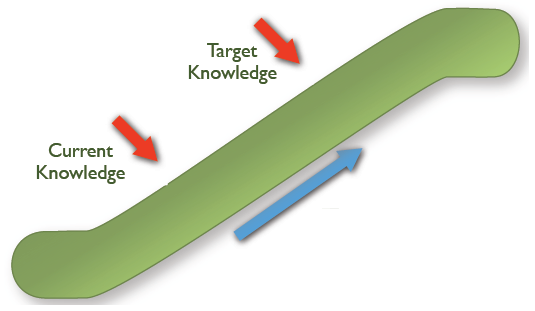
- Current Knowledge
- The knowledge you bring to the interaction
jared spool
- Target Knowledge
- The knowledge needed to meet your goal
jared spool
- Knowledge Gap
- The difference in knowledge needed to perform goal from current knowledge
socially transmitted functionality
Easy, but not intuitive
- Low target knowledge
- No current knowledge
The interface doesn't support learning the functions
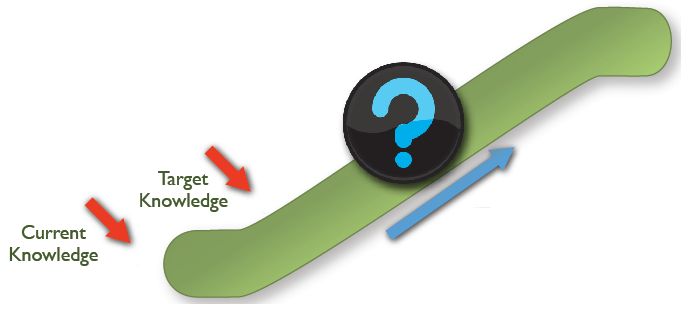
spool model
Design Principle: Close the gap between Current Knowledge and Target Knowledge
Discussion
Are the Cooper and Spool approaches conflicting?
Why or why not?
Discussion
Re-design
- Amazon approach
- Other approaches?
- What factors need to be considered?
Novice exercise
-
Check out http://www.hipmunk.com "agony" sort
- How does it compare to other sites you have used?
-
Exercise in Moodle
- In your project teams
- Select the "least experienced" person to try the tool
- Testing the tool, not the user
- Record how the tool supports or doesn't support novice users
Be prepared to share your observations on Friday!